



Tips Mafia

Menu
  • Home
  • Tech
    • Internet
    • Computer
  • How to
  • Entertainment
  • Wiki
    • Full Forms
  • Social
  • Apps For PC

Latest Posts

  • DJMaza 2021 Bollywood Movie Songs Music & Videos

    DJMaza 2021 Bollywood Movie Songs Music & Videos

    486,018 views
  • Filmygood 2022 | Best Alternatives for Watching Movies and TV Shows Online

    Filmygood 2022 | Best Alternatives for Watching Movies and TV Shows Online

    5,639 views
  • TodayPk 2021- Latest Telugu | Bollywood Movies Watch | Download

    TodayPk 2021- Latest Telugu | Bollywood Movies Watch | Download

    7,506 views
  • Tamilrockers kuttymovies 2021-2022 Free Movies Download

    Tamilrockers kuttymovies 2021-2022 Free Movies Download

    6,227 views
  • How to Fix VAN 185 Error in VALORANT

    How to Fix VAN 185 Error in VALORANT

    2 views
  • Fix: Epic Games Transaction Declined For Your Protection

    Fix: Epic Games Transaction Declined For Your Protection

    4 views
  • How to Write a Full Novel Using ChatGPT: Step-by-Step

    How to Write a Full Novel Using ChatGPT: Step-by-Step

    3 views
  • Does Perplexity AI Support Video Editing? Answer Explained

    Does Perplexity AI Support Video Editing? Answer Explained

    5 views
  • Apps For PC
  • Blog
  • Blogging
  • Career
  • Computer
  • Course
  • Cryptocurrency
  • Development
  • Entertainment
  • Finance
  • Full Forms
  • How to
  • internet
  • Lottery News
  • Make Money
  • Marketing
  • Quiz Answer Today
  • Security
  • Social
  • Software
  • Tech
  • Uncategorized
  • Wiki
  • WordPress

Why You Should Use a Plugin to Secure Your WordPress Site’s Login Page

Why You Should Use a Plugin to Secure Your WordPress Site’s Login Page

WordPress is a popular and versatile content management system that powers millions of websites worldwide. However, with great popularity comes great responsibility, and WordPress sites are often targeted by malicious hackers. The login page is one of the most vulnerable parts of a WordPress site, making it essential to secure it against potential attacks. In this article, we will discuss the importance of securing your WordPress login page and explore two plugins that can help you achieve this: Login Lockdown and WP Force SSL. By implementing these plugins, you can protect your site from unauthorized access, prevent brute-force attacks, and ensure secure data transmission.

 

Why Secure Your WordPress Login Page

Why Secure Your WordPress Login Page?

All Heading

Your WordPress login page is the gateway to your site. It’s where you, your team, and authorized users access the admin panel, which controls everything on the site. If a hacker gains access to your login page, they can potentially take control of your entire site, delete content, and steal sensitive information. The consequences of a security breach can be severe and far-reaching, including financial loss, reputational damage, and legal implications.

Securing your WordPress login page is essential to protect your site and its users. Here are some reasons why you should do it.

1. Protect Against Brute Force Attacks

One of the most common ways hackers attempt to gain access to a site is through brute force attacks. This method involves trying to guess a user’s login credentials by repeatedly entering different combinations of usernames and passwords. By using a plugin that limits the number of login attempts and blocks IP addresses after a set number of failed attempts, you can prevent brute force attacks and protect your site from unauthorized access.

2. Prevent Password Guessing

Hackers may also try to guess a user’s password using common passwords, dictionary words, or other known information. By using a plugin that enforces strong passwords, you can prevent password guessing and ensure that all users have secure login credentials.

3. Detect and Block Malicious IPs

Many hackers use automated tools to scan the internet for vulnerable sites. By using a plugin that detects and blocks malicious IPs, you can protect your site from these types of attacks and prevent unauthorized access. It can also help you block bots from accessing your login form. 

4. Ensure Secure Data Transmission

When a user logs in to your WordPress site, their login credentials are transmitted over the internet. If this transmission is not secure, a hacker can intercept the data and steal the user’s login information. By using a plugin that forces SSL encryption on your login page, you can ensure that all login data is transmitted securely.

Meet Compliance Requirements

5. Meet Compliance Requirements

Depending on your industry and location, you may be required to meet specific compliance requirements related to data protection and security. By securing your WordPress login page, you can ensure that you meet these requirements and avoid potential legal or financial penalties.

Login Lockdown Plugin

Login Lockdown is a popular plugin that limits the number of login attempts and blocks IP addresses after a set number of failed attempts. This plugin is easy to use and configure, and it’s a simple way to prevent brute-force attacks on your WordPress login page.

The plugin works by tracking the IP address of each login attempt and blocking that IP address after a set number of failed attempts. You can configure the plugin to block an IP address for a specific amount of time, after which the block will be lifted automatically.

WP Force SSL Plugin

WP Force SSL is a plugin that forces SSL encryption on your WordPress site, including the login page. SSL encryption is a secure way to transmit data over the internet, and it’s essential for protecting sensitive information such as login credentials.

The plugin works by redirecting all HTTP requests to HTTPS, ensuring that all data transmitted over your site is encrypted. You can configure the plugin to force SSL on specific pages, including the login page, and you can also exclude specific pages if needed.


Securing your WordPress site’s login page is essential to protect your site and its users from unauthorized access and potential security breaches. By using security plugins such as Login Lockdown or WP Force SSL, you can easily and effectively secure your login page and prevent common attacks such as brute force attempts and password guessing.

When it comes to WordPress security, it’s important to take a proactive approach and implement best practices to protect your site. In addition to securing your login page, you should also consider implementing other security measures such as regularly updating WordPress and plugins, using strong passwords, and using a reputable web host that prioritizes security.

Share
wordpress login pagewordpress security
Avatar for Antonia Zivcic
Antonia Zivcic

I'm Antonia, a copywriter with over five years of experience in the industry. I find joy in exploring a wide array of topics through my writing. It's my passion to create engaging and compelling content that resonates with readers.

Trending Posts

  • Fix: Epic Games Transaction Declined For Your Protection
    Fix: Epic Games Transaction Declined For Your Protection
    by Ava Taylor4 December 2025
  • Air conditioner maintenance for efficiency
    Air conditioner maintenance for efficiency
    by Ava Taylor5 November 2025
  • Prime Day strategies: beyond electronics
    Prime Day strategies: beyond electronics
    by Ava Taylor6 November 2025
  • Class action FAQs: payout timelines
    Class action FAQs: payout timelines
    by Ava Taylor6 November 2025
  • How to Remove Docker Images, Containers, and Volumes?
    How to Remove Docker Images, Containers, and Volumes?
    by Ava Taylor6 November 2025

On This Week

  • How to Fix VAN 185 Error in VALORANT
    How to Fix VAN 185 Error in VALORANT

Recent Posts

  • How to Fix VAN 185 Error in VALORANT
  • Fix: Epic Games Transaction Declined For Your Protection
  • How to Write a Full Novel Using ChatGPT: Step-by-Step

Related Posts

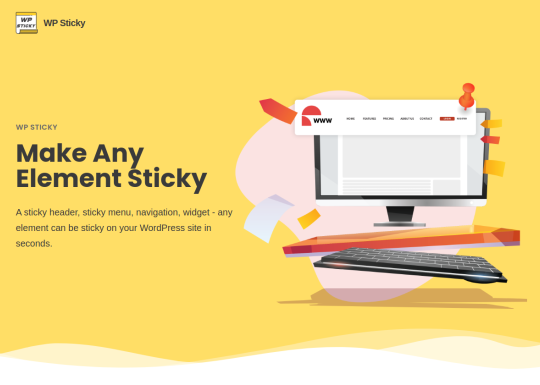
Need to make your header or other elements sticky? WP Sticky will help you do it with a few clicks
WordPress

Need to make your header or other elements sticky? WP Sticky will help you do it with a few clicks

Best Free WordPress Reset Plugins
WordPress

Best Free WordPress Reset Plugins

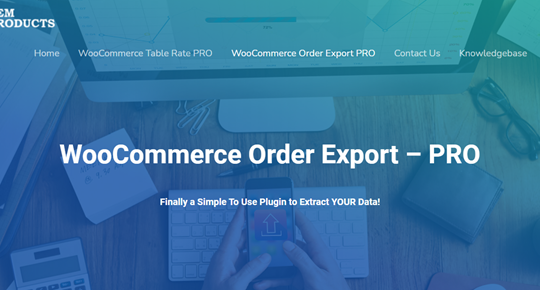
WooCommerce Order Export will make it super easy to manage your orders and shipping
WordPress

WooCommerce Order Export will make it super easy to manage your orders and shipping

How to Export WooCommerce Orders From Your Store
WordPress

How to Export WooCommerce Orders From Your Store

Recent Comments

    Trending Posts

    • Fix: Epic Games Transaction Declined For Your Protection
      Fix: Epic Games Transaction Declined For Your Protection
    • Air conditioner maintenance for efficiency
      Air conditioner maintenance for efficiency
    • Prime Day strategies: beyond electronics
      Prime Day strategies: beyond electronics
    • Class action FAQs: payout timelines
      Class action FAQs: payout timelines
    • How to Remove Docker Images, Containers, and Volumes?
      How to Remove Docker Images, Containers, and Volumes?

    Articles you must check

    • WordPress Maintenance Services Roundup & Comparison
    • What Are the Best Selling WordPress Themes 2019?
    • The Ultimate Guide to WordPress Maintenance for Beginners
    • Ultimate Guide to Creating Redirects in WordPress

    On This Week

    • How to Fix VAN 185 Error in VALORANT
      How to Fix VAN 185 Error in VALORANT
    • Fix: Epic Games Transaction Declined For Your Protection
      Fix: Epic Games Transaction Declined For Your Protection
    • How to Write a Full Novel Using ChatGPT: Step-by-Step
      How to Write a Full Novel Using ChatGPT: Step-by-Step
    Tips Mafia
    Tips Mafia Copyright © 2025. Sitemap
    • Home
    • About Us
    • Contact Us
    • Privacy Policy
    • Disclaimer
    Like every other site, this one uses cookies too. Read the fine print to learn more. By continuing to browse, you agree to our use of cookies.X