







Email remains the backbone of business communication, yet it is also one of the most misunderstood systems in modern IT environments. When email fails—whether through delayed delivery, spam filtering errors, blacklisting, or complete server outages—the consequences can be immediate and costly. Fixing email issues effectively requires more than guesswork; it demands detailed logging, structured debugging methodologies, and continuous 24/7 server monitoring – all of which WP Email Log offers to you. This article explains how to systematically diagnose and resolve email problems while building a resilient infrastructure that prevents them from recurring.
TL;DR: Email problems can only be solved reliably with proper log analysis, professional debugging tools, and constant server monitoring. SMTP, DNS, authentication records, and server health metrics are the core areas to review. Using the right combination of tools allows you to detect root causes instead of applying temporary fixes. A proactive monitoring setup minimizes downtime and protects your sender reputation.
To manage email effectively, you must treat it as a mission-critical system, not a background service. Reliable troubleshooting follows a structured path: gather logs, isolate the failure point, test configurations, apply corrections, and monitor results.
Understanding the Core Components of Email Delivery
All Heading
Before diving into troubleshooting, it is essential to understand how email flows through your infrastructure. Most email systems rely on:
- SMTP servers for sending messages
- IMAP/POP3 servers for receiving messages
- DNS records including MX, SPF, DKIM, and DMARC
- Mail transfer agents (MTAs) such as Postfix, Exim, or Microsoft Exchange
- Spam filters and firewalls
When any of these components are misconfigured or overloaded, delivery issues occur. A disciplined troubleshooting process quickly identifies which layer is responsible.
Step 1: Enable and Analyze Detailed Email Logs
Logs are your primary source of truth. Without detailed logs, diagnosing email issues becomes speculation. Every mail server provides logging capabilities that capture:
- Connection attempts
- Authentication successes and failures
- SMTP response codes
- Delivery delays
- Bounce messages
- Blacklist rejections

Key log types to review:
- SMTP logs – Show message transmission and receiving activity.
- Authentication logs – Highlight failed login attempts or brute force attacks.
- Mail queue logs – Reveal stuck or deferred emails.
- System logs – Indicate broader server resource issues.
How to use logs effectively:
- Search by message ID for specific delivery failures.
- Review SMTP status codes (e.g., 550 for rejection, 421 for temporary deferral).
- Cross-reference timestamps with reported user complaints.
- Automate log parsing with filtering tools.
A common mistake is deleting logs too quickly. Maintain log retention policies that support historical comparisons. Some email reputation issues only appear gradually over weeks.
Step 2: Debug DNS and Authentication Records
DNS misconfiguration is responsible for a large percentage of email delivery failures. Properly configured records ensure legitimacy and inbox placement.
Critical records to verify:
- MX record – Points to the correct mail server.
- SPF record – Specifies authorized sending IP addresses.
- DKIM – Cryptographically signs outgoing emails.
- DMARC – Aligns and enforces SPF and DKIM policies.

Debugging process:
- Use command-line tools like dig or nslookup.
- Validate SPF syntax using online SPF validators.
- Test DKIM selectors with verification services.
- Analyze DMARC reports for rejection patterns.
If emails bounce with authentication errors, logs will often display phrases such as “SPF fail” or “DKIM signature invalid.” Correcting DNS propagation issues can take up to 48 hours, so always confirm global DNS visibility.
Step 3: Use Professional Debugging Tools
Manual troubleshooting is time-consuming and prone to oversight. Specialized tools accelerate root-cause detection.
Popular Email Debugging Tools:
| Tool | Primary Function | Best For | Ease of Use |
|---|---|---|---|
| MXToolbox | DNS, blacklist, SMTP diagnostics | Quick external validation | High |
| Mail Tester | Spam score analysis | Inbox placement optimization | Very High |
| Wireshark | Packet capture and network debugging | Advanced SMTP troubleshooting | Low |
| Postfix Log Analyzer | SMTP log parsing | Server-side diagnostics | Medium |
| Microsoft Remote Connectivity Analyzer | Exchange testing | Microsoft environments | High |
These tools provide immediate clarity on:
- Whether your IP is blacklisted
- Spam filter score breakdown
- Reverse DNS (PTR) record validity
- TLS encryption functionality
- Open relay misconfigurations
For advanced environments, packet-level inspection using Wireshark confirms whether SMTP conversations are completing successfully or timing out due to firewall interference.
Step 4: Monitor Server Health 24/7
Email reliability depends heavily on server performance. Even perfectly configured DNS and authentication records cannot compensate for overloaded CPUs or insufficient memory.
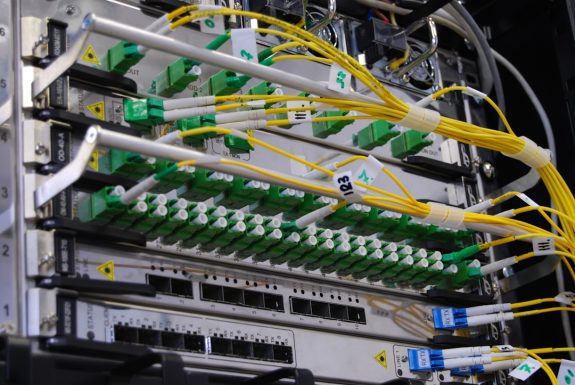
Key metrics to monitor continuously:
- CPU usage
- RAM consumption
- Disk space and I/O performance
- Mail queue size
- SMTP response times
- Network latency
Modern monitoring solutions such as Zabbix, Nagios, Datadog, and Prometheus provide:
- Real-time alerts
- Historical performance graphs
- Anomaly detection
- Automated escalation policies
A properly configured 24/7 monitoring system sends alerts before users experience downtime. For example, a rapidly growing mail queue may indicate remote server blocking or local processing delays.
Step 5: Diagnose Common Email Failure Scenarios
1. Emails Not Sending
- Check SMTP authentication settings.
- Confirm port accessibility (25, 465, 587).
- Review firewall rules.
- Examine outbound mail queue.
2. Emails Going to Spam
- Verify SPF, DKIM, DMARC alignment.
- Check blacklist status.
- Review content spam score.
- Warm up new IP addresses gradually.
3. Email Delays
- Inspect server load.
- Look for deferred SMTP responses.
- Monitor greylisting behavior.
- Confirm reverse DNS accuracy.
4. Cannot Receive Emails
- Validate MX record.
- Confirm mailbox quota limits.
- Check inbound firewall filtering.
- Inspect IMAP/POP service status.
Implementing Preventive Measures
The most reliable email systems are proactive rather than reactive. Preventive strategies include:
- Daily log reviews
- Automated blacklist monitoring
- Regular DNS audits
- Software updates and security patches
- TLS certificate renewal automation
Additionally, implement rate limiting to prevent spam abuse and two-factor authentication to minimize compromised accounts.
Building a Redundant Email Infrastructure
Critical organizations should consider redundancy:
- Secondary MX servers
- Failover SMTP relays
- Cloud backup mail routing
- Geographically distributed data centers
Redundancy ensures business continuity even during hardware or network failures.
When to Escalate to Specialists
Some situations require advanced intervention:
- Persistent global blacklist inclusion
- Large-scale spam outbreaks
- Complex Exchange corruption
- Massive phishing compromise
In these cases, security professionals or deliverability consultants can perform forensic log analysis and reputation recovery steps.
Conclusion
Email troubleshooting is not about temporary patches—it is about structured diagnostics backed by reliable data. Detailed logs provide clarity. Debugging tools provide precision. 24/7 monitoring provides prevention. Together, these form a comprehensive strategy that eliminates recurring failures and protects your organization’s communication integrity.
By implementing robust logging policies, validating DNS configurations, leveraging professional diagnostic tools, and continuously monitoring server performance, you transform email from a fragile vulnerability into a hardened, dependable system. In today’s digital environment, reliability is not optional—it is a requirement. And with the right approach, every email issue can be identified, corrected, and prevented with confidence.






Recent Comments