






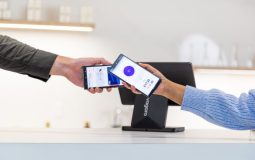
Recording phone calls has become increasingly common for professionals, journalists, business owners, and even everyday users who simply want to keep accurate records of important conversations. Whether you’re conducting interviews, documenting client agreements, or preserving memorable personal calls, having the right call recording app can make all the difference. While TapeACall is one of the most popular choices in this space, it’s far from the only option available.
TLDR: If you’re looking for alternatives to TapeACall, there are several reliable call recording apps worth considering. Rev Call Recorder offers free recordings with transcription services, Call Recorder iCall provides a simple subscription model, Cube Call Recorder supports VoIP apps, and Automatic Call Recorder is a versatile Android-friendly option. Each tool has its own strengths depending on your device, budget, and recording needs. Choosing the right one comes down to features, compatibility, and ease of use.
In this guide, we’ll explore four powerful call recording tools like TapeACall, highlighting their standout features, pricing models, and ideal use cases. If you’re ready to expand your options, read on.
1. Rev Call Recorder
All Heading
Rev Call Recorder has earned a solid reputation, particularly among journalists and professionals who require highly accurate documentation. What makes Rev unique is its combination of free call recording and premium transcription services.

Key Features:
- Free unlimited call recording (iOS)
- High-quality audio recordings
- Optional human-powered transcription service
- Easy file sharing via email or cloud storage
One of the biggest advantages of Rev Call Recorder is its cost structure. Unlike many competitors, the app itself is free to use for recording. Instead, Rev monetizes through transcription services, which are available at a per-minute fee. This makes it an excellent choice for users who primarily want recordings but occasionally need written transcripts.
Another benefit is its clean, intuitive interface. Starting and merging calls is straightforward, even for users who aren’t particularly tech-savvy. However, it currently works only on iOS devices and relies on three-way calling functionality, which must be supported by your carrier.
Best For: Journalists, researchers, and professionals who need reliable recordings with optional professional transcription.
2. Call Recorder iCall
Call Recorder iCall is another popular alternative that mirrors many of TapeACall’s core features. Designed primarily for iPhone users, it allows you to record both incoming and outgoing calls with minimal setup.
Key Features:
- Record incoming and outgoing calls
- Cloud storage for easy access
- Simple subscription model
- User-friendly interface
What sets iCall apart is its focus on simplicity. Once installed, the app guides you through enabling call merging and recording with clear, step-by-step instructions. The interface is modern and clutter-free, making stored recordings easy to review and replay.
Like TapeACall, iCall works through a conference call system. When you initiate recording, the app connects your call to its recording line, capturing the conversation seamlessly.
It operates on a subscription basis—weekly, monthly, or yearly—so it may not be ideal for those seeking a completely free option. However, the reliability and audio clarity make it a dependable choice for business professionals.
Pros:
- Consistently clear recording quality
- Quick setup process
- Accessible recordings within the app
Cons:
- Subscription required after trial
- Limited to iOS devices
Best For: Business professionals and entrepreneurs who frequently document client calls.
3. Cube Call Recorder
If you’re an Android user or someone who frequently uses VoIP services, Cube Call Recorder is a standout option. Unlike many traditional call recorders that focus solely on cellular calls, Cube supports a wide range of internet-based calling apps.
Image not found in postmetaSupported Platforms Include:
- Phone calls (Android)
- Skype
- Viber
- Telegram
- And more
This versatility makes Cube Call Recorder particularly appealing for users who conduct international business or remote work using internet calling apps. The app can automatically detect calls and start recording based on your predefined settings.
Notable Features:
- Automatic call recording
- Manual recording option
- Cloud backup integration
- PIN lock for privacy
Cube offers both a free version and a premium upgrade. The free version covers basic call recording, while the premium tier unlocks advanced features like automatic cloud backups and enhanced audio controls.
Keep in mind that Android call recording capabilities can vary depending on your device manufacturer and operating system version. Some phones may require additional configuration for optimal results.
Best For: Android users and remote workers who rely heavily on VoIP applications.
4. Automatic Call Recorder
Automatic Call Recorder is another well-established alternative, particularly for Android users. As the name suggests, its primary appeal lies in automation—once configured, it can automatically record selected calls without requiring manual input every time.
Key Features:
- Automatic recording settings
- Cloud integration with Google Drive and Dropbox
- Customizable recording filters
- Password protection
This app allows users to specify which calls should be recorded: all calls, calls from specific contacts, or unknown numbers only. That flexibility is extremely helpful if you don’t want to clutter your storage with unnecessary recordings.
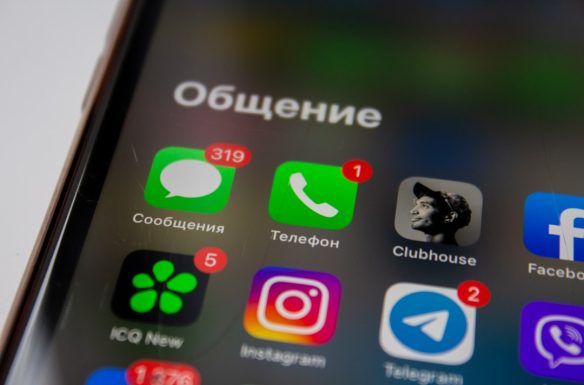
The app also includes storage management tools, letting you automatically delete older recordings or mark important files to prevent deletion. This is particularly useful for users handling large volumes of calls.
Although Automatic Call Recorder offers a free version, ads can be intrusive. Upgrading to the premium version removes ads and unlocks additional cloud and sharing features.
Best For: Users who want a hands-off, automated recording experience with customizable settings.
How to Choose the Right Call Recording App
With so many options available, selecting the right alternative to TapeACall depends on your specific needs. Consider the following factors:
- Device Compatibility: iOS users have fewer native recording options than Android users.
- VoIP Support: If you use apps like WhatsApp or Skype, ensure your recorder supports them.
- Storage Needs: Look for apps with cloud backup integration if you store many calls.
- Budget: Some apps are free with paid add-ons, while others require subscriptions.
- Legal Compliance: Always check local laws regarding call recording consent.
For example, if transcription is essential, Rev may be the best choice. If VoIP compatibility is critical, Cube stands out. If you prefer automated call handling, Automatic Call Recorder might be ideal.
Legal Considerations Before Recording Calls
Before using any call recording app, it’s important to understand the legal landscape. Recording laws vary significantly by country and region. In some areas, only one party must consent to recording, while others require all participants to agree.
Tip: When in doubt, inform the other party that the call is being recorded. Transparency not only protects you legally but also fosters trust.
Many call recording apps include audible notifications or disclaimers to help maintain compliance. Be sure to enable these features if required by your local regulations.
Final Thoughts
While TapeACall remains a popular and reliable solution, it’s far from the only choice available. Alternatives like Rev Call Recorder, Call Recorder iCall, Cube Call Recorder, and Automatic Call Recorder offer diverse features ranging from transcription services to VoIP compatibility and automated recording controls.
The best app for you will ultimately depend on your device, how often you record calls, and whether you need additional features such as cloud storage or transcription. By carefully comparing your options, you can find a solution that fits seamlessly into your workflow and ensures that no important conversation is ever lost.
With the right tool in hand, recording phone calls becomes not just a convenience—but a powerful productivity asset.





Recent Comments