




Online interviews are everywhere. Podcasts. Job chats. Research calls. Client meetings. Most people know Zoom. But it is not the only option. In fact, there are some great tools built specifically for recording interviews. They are simple. They are powerful. And they might fit your needs even better.
TLDR: Zoom is popular, but it is not your only choice for recording interviews. Riverside, Zencastr, and SquadCast are strong alternatives built for high-quality recordings. They offer better local recording, clearer audio, and easier editing for content creators. If you care about sound and video quality, these tools are worth a look.
Let’s explore three interview recording platforms like Zoom. We will keep it simple. And fun.
1. Riverside – Studio Quality, Without the Studio
All Heading
If you care about crystal-clear audio and sharp video, Riverside is a big name.
Unlike Zoom, which records over the internet signal, Riverside records each person locally on their own computer. This is huge. It means the final file is high quality, even if the internet connection was not perfect during the call.
Think of it this way. Zoom records the conversation as it travels across the internet. Riverside records it directly from the source. That makes a big difference.
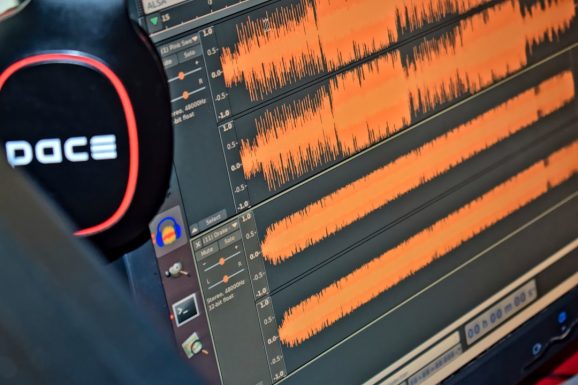
Why people love Riverside:
- Up to 4K video recording
- Separate audio and video tracks for each guest
- Local recording for better quality
- Text-based editing tools
- Easy uploading after the call ends
It is great for:
- Podcast hosts
- YouTube interviewers
- Course creators
- Remote teams making branded content
Where it beats Zoom
Zoom compresses files to save bandwidth. That lowers quality. Riverside does not compress in the same way. So your content looks and sounds more professional.
It also gives you separate tracks. This makes editing easier. If your guest coughs or your dog barks, you can fix it fast.
Things to consider
Riverside can cost more than basic Zoom plans. And it is built mainly for recording, not general meetings. So if you just need casual team catch-ups, it may be more than you need.
But if quality matters, Riverside is a strong option.
2. Zencastr – Simple and Creator Friendly
Zencastr is another platform designed for recording interviews. It started as an audio-only tool for podcasters. Now it supports video too.
Its main strength? It is easy.
You send your guest a link. They click. They join. No complicated setup.
What makes Zencastr special:
- Local audio and video recording
- Automatic post-production tools
- Soundboard for intro music and ads
- Cloud backup recording
- Browser-based system (no heavy downloads)
Like Riverside, Zencastr records locally. This helps prevent glitches from ruining your interview.
Built-in editing magic
Zencastr offers automatic editing. It balances sound levels. It reduces background noise. It can even add music.
This is perfect if:
- You do not want complicated editing software.
- You are new to podcasting.
- You want faster turnaround times.
Where it beats Zoom
Zoom is built for meetings. Zencastr is built for content creation. That means:
- Better final file quality
- More creator tools
- Stronger podcast features
Zoom recordings often need extra editing. Zencastr helps you do more inside one platform.
Potential downsides
If you need advanced video layouts or live streaming features, Zencastr may feel limited. It shines in podcast-style interviews. For complex webinars, you may need more tools.
Still, for simple and professional interviews, it works beautifully.
3. SquadCast – Reliable and Professional
SquadCast is another high-quality remote recording platform. It is known for being stable and dependable. Many podcasters trust it for important interviews.
Like the others, it uses local recording. That means better audio and video quality compared to standard Zoom recordings.

Why SquadCast stands out:
- Progressive upload technology (files upload as you record)
- Separate tracks for each speaker
- High-definition video
- Green room feature for guests
- Secure cloud backups
The progressive upload feature is smart. If someone’s browser crashes, the recording is often still saved up to that point. That adds peace of mind.
Great for serious interviews
If you are interviewing:
- Industry experts
- High-profile guests
- Clients for case studies
You want reliability. SquadCast delivers that.
Where it beats Zoom
Zoom is built for conversation. SquadCast is built for production.
You get:
- Higher quality files
- Cleaner audio
- Better separation of speakers
This matters if you plan to publish your interviews publicly.
Possible drawbacks
Like Riverside, SquadCast can be more expensive than Zoom. It also focuses mainly on recording, not large team meetings or webinars.
But for interview-based content, it is a strong contender.
Quick Comparison
Here is a simple breakdown:
- Zoom: Great for meetings. Easy. Widely used. Lower recording quality.
- Riverside: High-end video and audio. Best for polished content.
- Zencastr: Simple and beginner friendly. Strong podcast features.
- SquadCast: Reliable and professional. Excellent backup systems.
If recording quality is your top priority, the three alternatives win.
How to Choose the Right One
Ask yourself a few simple questions:
1. What are you recording?
- Team meetings? Zoom is fine.
- Podcasts? Try Zencastr or SquadCast.
- YouTube interviews or courses? Riverside is strong.
2. Do you need high-end video?
If yes, Riverside offers up to 4K recording. That is a big step up.
3. How comfortable are you with editing?
- Want built-in help? Zencastr offers automatic post-production.
- Prefer full control? Riverside and SquadCast give you separate tracks.
4. What is your budget?
Zoom often has lower starting costs. The others may cost more but provide higher production value.
Why Quality Matters More Than Ever
Today, content is everywhere. Podcasts are booming. Video interviews are shared on social media. Audiences expect clear sound and sharp visuals.
If your audio echoes or your video freezes, people click away.
Good recording tools do not just make you sound better. They make you look professional. They build trust. They show that you care about your audience.
And the best part? You no longer need a physical studio. Just a laptop. A microphone. And the right platform.
Final Thoughts
Zoom is familiar. It works. And for many situations, it is enough.
But if your goal is to record and publish interviews, you may want more power.
Riverside gives you studio-level video and audio.
Zencastr keeps things simple and creator friendly.
SquadCast offers stability and peace of mind.
All three are strong alternatives to Zoom. Each one focuses on what matters most: delivering clear, professional recordings.
In the end, the right choice depends on your needs. But one thing is clear. You have options. And better interviews start with better tools.
Now the only thing left to do? Press record.



Recent Comments