





Creating impactful dance videos has always been a balancing act between movement precision and visual storytelling. While many choreographers dream of making their performances cinematic, producing high-quality videos has often required technical resources and time-consuming post-production. Now, thanks to the innovative combination of Seedance and InVideo, that process is becoming accessible to all—fusing intuitive choreography capture with dynamic video creation tools.
TL;DR
All Heading
The new Seedance + InVideo workflow simplifies the process of transforming dance routines into cinematic videos. Seedance lets choreographers capture, map, and visualize complex movements with ease, while InVideo adds exceptional polish through customized video templates and enhancements. Together, they streamline dance content creation for both professionals and hobbyists. Expect fewer hours editing and more time dancing.
What is Seedance?
Seedance is a motion capture and choreography design tool developed specifically for dancers, instructors, and creative teams. It allows artists to:
- Digitally map human movement using motion sensors or smartphone cameras
- Visualize and edit dance routines in 3D space
- Create interactive controls for timing, pace, and camera direction
Unlike traditional motion capture software aimed at professional studios, Seedance is designed to be intuitive enough for independent dancers, enabling them to see their choreographed routines from cinematic angles before they’re even recorded.
What is InVideo?
InVideo is a powerful browser-based video editor that combines ease of use with professional-level editing tools. Its hallmark features include:
- Drag-and-drop editing
- Hundreds of cinematic templates
- Text animations and overlays
- Advanced audio syncing capabilities
Originally built to help content creators make marketing and social media videos faster, InVideo’s flexibility now makes it perfect for dance videos that require timing-sensitive edits and aesthetic polish.
Why Combine Seedance and InVideo?
On their own, Seedance and InVideo are powerful tools. Together, they capture both the art of dance and the emotion behind it. This workflow unlocks new paths for dancers and video creators to express movement in deeper, more vibrant ways—without needing a Hollywood-level production budget.
Key Benefits of the Seedance + InVideo Workflow:
- Visualize Before You Shoot: Seedance lets dancers choreograph and plan every camera angle in advance.
- Save on Expensive Sets and Crew: With virtual mapping and digital camera tools, low-budget teams can plan professionally.
- Custom Video Styles: InVideo supports exporting Seedance clips and applying custom transition styles and music overlays.
- Fast Editing Pipeline: Dancers can import sequences directly into InVideo with synchronized cues for music timing.
Step-by-Step Workflow
1. Capture the Choreography with Seedance
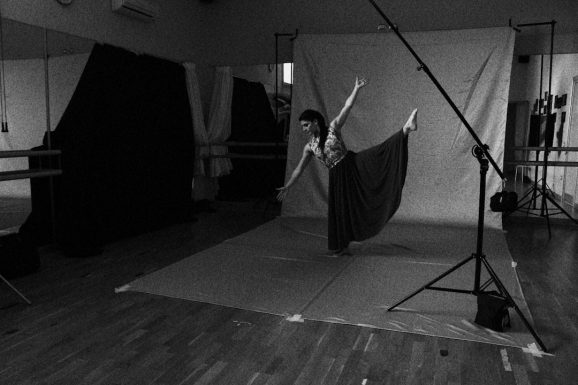
Start by filming your rehearsal or performance with a smartphone or camera linked to the Seedance app. The platform automatically analyzes and maps body movements using AI, letting users tweak posture, spacing, or tempo in a virtual 3D environment.
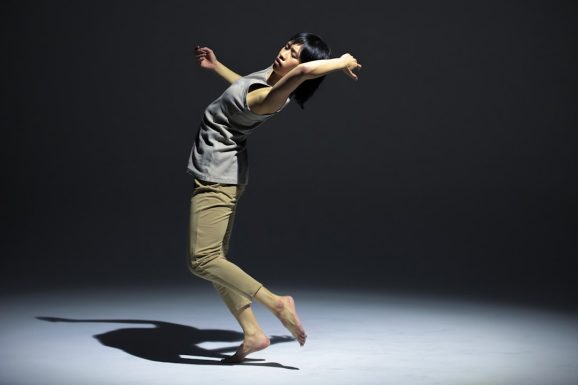
Once captured, you can apply digital ‘camera tracks’—virtual camera angles recorded into the timeline as if you had a multiple-camera setup tracking the dancer. You can also experiment with overhead drone perspectives or tracking shots you may not have the budget to film in real life.
2. Export 3D Renders and Angles
After creative planning inside Seedance, export your selected render clips in wide, medium, or close-up angles. These can either be used directly or guide your camera person during recording. The rendered visuals can even simulate lighting conditions to give a preview of how shadows will interact with motion.
3. Upload Media Into InVideo
Once you have your performance footage and any Seedance video renders, drag and drop them into InVideo. This is where the magic really begins.
Choose from one of InVideo’s dancer-friendly templates like Cinematic Flow or Urban Pulse, designed specifically to match music-driven content. Align your media assets with these templates to shift your work from raw footage to professional-level video in minutes.
4. Add Music and Transitions
Sync your music—whether an original track or royalty-free beat—to the timing of your performance. InVideo’s beat detection system makes this step nearly automatic. You can mark cues, match transitions to beats, and even fine-tune movement synchronization with slow-mo segmentation.
5. Finish with Titles and Visual FX
Use InVideo’s built-in text animation tools to add stylish title cards, dancer credits, and narrative captions. For modern or experimental pieces, layer in light leaks, lens flares, or glitch effects. These post-production elements help create a story arc or emphasize emotional transitions in the choreography.
Real-World Applications
Showcase Reels
Independent choreographers and dancers can now create cinematic portfolios without hiring a professional production crew. Showcase reels gain more polish, making it easier to attract work or social media attention.
Online Dance Classes
Teachers can record breakdowns of combinations and present them with cutting-edge clarity using side-by-side rendered models and real performances. This adds a new level of interactivity and quality to online learning.
Performance Concept Videos
Many dance collectives use concept films to express a theme or social message. With the Seedance + InVideo workflow, ideas can be prototyped, refined, and shared visually, without needing a director or special effects team.
Tips for Maximum Impact
- Use contrasting camera angles: Combine high and low shots to add dynamics and heighten emotion.
- Light smart, not hard: Use Seedance’s lighting preview to plan optimal stage or natural lighting for your shoot.
- Keep edits musical: Let the beat guide your transitions and frame changes—it maintains flow and viewer interest.
Future Potential
The integration possibilities are still unfolding. Developers are exploring real-time AR overlays that work directly with Seedance choreography, and future versions of InVideo may include plugins specifically for dance-centric editing. We may even see AI suggesting edits based on choreography moods or musical changes.
Conclusion
Video choreography isn’t just for big-budget productions anymore. With the combined power of Seedance and InVideo, dancers have access to the tools and workflows that were once reserved for professional filmmakers. It represents a democratization of dance storytelling—a chance to make every move, every beat, and every emotion visible on screen in vivid detail.
If you’re ready to take your performances from studio to screen with stunning clarity, the Seedance + InVideo workflow is not just an option—it’s the next evolution in your creative journey.






Recent Comments