







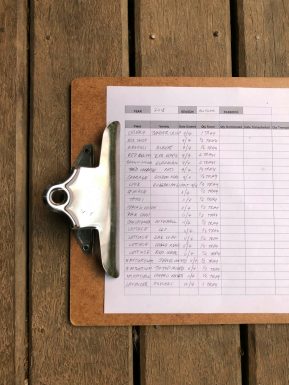
For digital marketers, SEO professionals, and content creators alike, mastering SEO worksheets can mean the difference between a website that gets buried and one that climbs to the top of search engine results. While often overlooked, these powerful tools organize, streamline, and enhance SEO strategies in a structured and scalable way.
TL;DR
All Heading
SEO worksheets help streamline and organize optimization strategies for websites more efficiently. By breaking down tasks into manageable components like keyword research, on-page SEO, and technical audits, professionals can execute plans with greater accuracy. Mastering these worksheets improves productivity, decreases missed opportunities, and leads to better rankings. Step-by-step usage, automation, and regular updates are key to maximizing their effectiveness.
Why Use SEO Worksheets?
SEO is multilayered, involving various moving parts such as technical audits, keyword planning, content optimization, and off-page link-building strategies. Without a structured system, managing all these components can become chaotic. That’s where SEO worksheets prove invaluable.
- Organization: They help centralize all your SEO data in one place.
- Efficiency: Spreadsheet-based tracking allows for automation and fewer human errors.
- Scalability: Worksheet templates can be duplicated and modified as strategies grow over time.
- Collaboration: Teams can work together in real time on cloud-based worksheet tools.
Core Components of an Effective SEO Worksheet
To fully master SEO worksheets, it is essential to understand each core component and its purpose.
1. Keyword Research
This worksheet identifies keywords relevant to a brand, product, or content. It often contains columns such as:
- Keyword
- Search Volume
- Keyword Difficulty
- Search Intent
- Current Rank
Organizing keywords in this way helps prioritize efforts toward terms with the best ROI potential.
2. On-Page SEO Checklist
This section covers optimization elements at the page level. Important columns often include:
- Page URL
- Title Tag
- Meta Description
- H1 & H2 Tags
- Image Alt Text
- Internal Links
- Last Updated
Having a worksheet dedicated to this part keeps content optimization on point and regularly maintained.
3. Technical SEO Audit Sheet
This worksheet ensures the health of the website from a technical standpoint. Here are typical columns:
- Issue Type (e.g., broken links, duplicate content)
- URL Affected
- Severity
- Status
- Actions Required
Keeping this sheet updated often avoids deeper issues that could tank rankings.
4. Backlink Tracking Worksheet
Backlinks are crucial for SEO success. A worksheet often includes:
- Link Source
- Domain Authority
- Anchor Text
- Target URL
- Status (Active, Broken, Lost)
This worksheet helps track backlink strategy over time and spot toxic or broken links that need attention.
5. Content Calendar Integration
In SEO, content is king, but without planning, it becomes chaotic. Including a worksheet for content planning connects SEO targets with content creation efforts. Popular columns include:
- Topic
- Target Keyword
- Content Type (Blog, Video, Infographic)
- Publishing Date
- Status

Steps to Master SEO Worksheets
Step 1: Choose Your Tool
You don’t need complex software. Most SEO professionals rely on tools such as:
- Google Sheets
- Microsoft Excel
- Airtable (for more advanced project management features)
Step 2: Use the Right Templates
Pre-made templates can jumpstart your SEO worksheet mastery. Many SEO experts and agencies offer free templates online. Customize them based on your goals and industry.
Step 3: Set Clear Goals and KPIs
Every worksheet should be tied to a specific outcome. Whether it’s improving rankings for product pages or increasing blog visibility, clarity drives action.
Step 4: Make It Visual
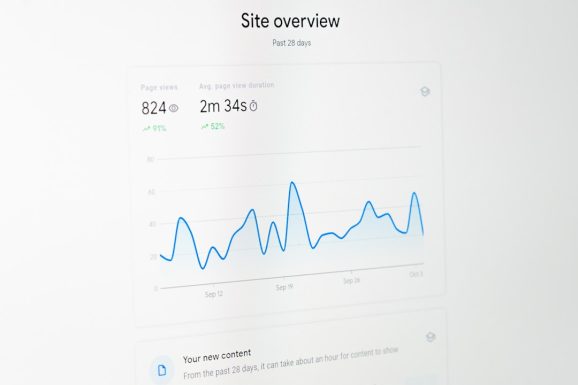
Use conditional formatting, charts, and filters to make trends more visible and data easier to interpret. Color-coding status updates can significantly improve collaboration and speed of execution.
Step 5: Automate Where Possible
Use built-in functions and data connectors to automate updates. For instance:
- Connect Google Sheets with Google Search Console using APIs or third-party tools
- Use formulas to track keyword movement over time
- Leverage plugins to auto-flag missing meta tags
Step 6: Keep it Updated and Audited
Stale data leads to poor decisions. Set recurring reminders to update your worksheet weekly or monthly depending on your SEO velocity.
Common Mistakes and How to Avoid Them
- Overcomplicating the structure: Stick to what’s necessary. Too many tabs or columns cause confusion.
- Neglecting collaboration: Always opt for cloud-based tools to facilitate teamwork.
- Ignoring results: It’s not enough to have the worksheet—you must use the data to inform actions.
Recommended Tools and Resources
- Ahrefs: Excellent for backlink tracking and keyword metrics.
- SEMrush: Useful for competitive analysis and easy integration with Google Sheets.
- Google Data Studio: A great companion for SEO dashboards and visual reporting.
Conclusion
Mastering SEO worksheets isn’t just about filling out rows and columns—it’s about turning data into actionable insight for better rankings and visibility. Once set up properly, these worksheets can serve as your SEO command center, guiding strategy and keeping your campaigns organized. With discipline and the right tools, anyone can harness the full potential of SEO worksheets and boost measurable outcomes.
FAQs
What is an SEO worksheet?
An SEO worksheet is a document, typically in spreadsheet form, used to organize and track all aspects of a website’s SEO strategy—from keyword research to technical audits.
Can beginners use SEO worksheets effectively?
Yes, beginners can use entry-level templates to start. Over time, they will learn how to adjust and customize these sheets to suit more advanced strategies.
Where can I find SEO worksheet templates?
You can find free templates on marketing blogs, YouTube channels, or websites of popular SEO tools such as Ahrefs or SEMrush.
How often should I update my SEO worksheets?
Ideally, update them weekly or bi-weekly. Certain elements like keyword ranks can change frequently, and staying on top of those ensures better decision-making.
What’s the difference between an SEO dashboard and a worksheet?
SEO dashboards are more visual and are typically used for quick analytics and overviews, while worksheets are more detailed and operational, helping with planning and execution.






Recent Comments