








Editing a character in InZOI goes far beyond changing hairstyles or outfits. The Full Edit mode opens up a detailed customization environment that allows you to reshape facial structures, refine body proportions, adjust personality attributes, and apply advanced visual polish with impressive precision. Whether you are a first-time player or looking to perfect your in-game identity, understanding how Full Edit works will dramatically improve your character creation experience and overall immersion.
TLDR: Full Edit in InZOI unlocks deep character customization tools that go beyond basic appearance changes. Players can adjust facial structures, body proportions, personality traits, clothing layers, and advanced visual settings. These tools allow for highly realistic, unique characters tailored to personal preferences. Mastering Full Edit ensures better immersion and a more polished in-game presence.
In this guide, we will explore five essential character customization tools within Full Edit mode and examine advanced options that help you fine-tune every detail. By the end, you will understand how to navigate the system efficiently and make intentional design decisions rather than random adjustments.
1. Facial Structure Sculpting
All Heading
The most powerful feature inside Full Edit is the facial sculpting system. Unlike preset-based editors, InZOI allows players to directly manipulate facial zones with precision controls. This tool enables subtle refinements that create believable expressions and realistic proportions.

Key features include:
- Bone structure adjustments: Modify jaw width, cheekbone height, chin depth, and forehead shape.
- Eye positioning: Alter spacing, tilt, size, and depth.
- Nose refinement: Control bridge height, nostril width, and tip curvature.
- Lip definition: Adjust fullness, symmetry, corner angles, and definition lines.
Professional Tip: Work in small increments. Extreme adjustments often distort natural facial balance. Zoom out periodically to review changes from a mid-distance perspective, ensuring harmony remains intact.
The system typically uses drag-based morphing combined with sliders. Mastering both approaches allows quick major edits followed by fine-tuning. Remember that lighting within the editor can alter perceptions of symmetry, so rotate your character frequently to verify results.
2. Advanced Body Proportion Controls
Full Edit mode also includes detailed body customization. Rather than selecting from a few body types, you can manipulate proportional attributes to achieve realistic or stylized designs.
Adjustable elements commonly include:
- Height and leg-to-torso ratio
- Shoulder width and posture angle
- Arm and thigh thickness
- Waist curvature and hip width
- Muscle tone and softness balance
This flexibility enables players to create athletes, average civilians, fashion models, or entirely unique body silhouettes. However, balance remains essential. Extreme scaling may lead to animation clipping during gameplay.
Important: Toggle between idle and movement preview animations if available. This ensures that your adjustments look natural when the character walks or interacts within the environment.
One advanced option within body editing is posture refinement. Slightly adjusting spine curve or shoulder tilt can subtly influence personality perception. Upright posture appears confident, while relaxed shoulders suggest approachability. These details contribute to storytelling depth without obvious modifications.
3. Skin, Texture, and Detail Layers
InZOI’s Full Edit mode excels in realism thanks to layered skin and texture controls. Beyond simple skin tone selection, players can apply and adjust surface details.
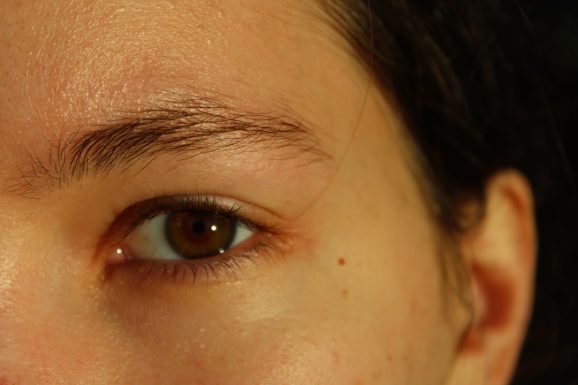
Customizable detail options often include:
- Skin undertone adjustments
- Freckles and mole placement
- Scars and blemishes
- Wrinkle intensity control
- Gloss and reflection levels
This layered approach offers remarkable realism. For example, lowering gloss and enhancing micro-texture creates a mature, weathered appearance. Adding subtle freckles with low opacity can increase authenticity without overpowering the face.
Best practice: Use lighting presets, if available, to test how skin details appear in different environments. Indoor light can soften texture visibility, while outdoor sunlight will exaggerate surface details.
Some advanced users combine minimal imperfections with precise bone adjustments to avoid the “over-polished” effect. Realistic characters typically benefit from subtle asymmetry and texture variation.
4. Hair Customization and Color Control
Hair in Full Edit mode is far more sophisticated than simple style selection. Many builds include color gradient tools, root adjustments, and shine management that increase visual depth.
Hair customization tools may include:
- Primary and secondary color blending
- Root darkness slider
- Highlight intensity
- Specular shine control
- Hairline shape refinements
Using color gradients carefully can produce highly natural results. Avoid overly saturated tones unless intentionally creating a stylized character. Blending close color tones often looks more refined and professional.
Advanced players experiment with shine levels depending on personality archetypes. A matte hair finish can feel grounded and realistic, while increased shine suggests stylized aesthetics or carefully maintained grooming.
Additionally, slight hairline alterations dramatically impact perceived age. Raising the hairline slightly can age a character subtly, while lowering it produces a youthful impression.
5. Personality Settings and Behavioral Customization
Full Edit extends beyond visuals. Personality customization defines how your character behaves within the simulation. These settings influence animations, dialogue options, reactions, and idle stances.

Common adjustable aspects include:
- Core personality traits
- Emotional tendencies
- Social interaction styles
- Ambition or goal priorities
- Idle behavior patterns
This layer is often underestimated. However, personality adjustments can enhance immersion significantly. A confident trait pairing with upright posture creates cohesion, while inconsistent choices might break realism.
Strategic Advice: Build personality around your character’s visual identity. Clothing style and posture should complement behavioral traits. Consistency strengthens the narrative value of your design.
Advanced Options in Full Edit Mode
Beyond the primary five tools, several advanced settings distinguish casual edits from expertly crafted profiles.
1. Preset Blending
Rather than relying solely on one base template, blend multiple presets before sculpting. This creates a unique foundation with balanced proportions.
2. Symmetry Toggle
Turning symmetry off allows minor natural asymmetry adjustments. Human faces are rarely perfectly symmetrical, and subtle differences dramatically increase realism.
3. Lighting Calibration
Switch between warm, cool, and neutral lighting previews. A face that looks balanced in warm lighting may appear harsh under bright neutral light.
4. Zoom Layer Editing
Use macro and micro zoom levels. Adjust overall structure first, then switch to close-up editing for texture and minute detail refinement.
5. Save Progressive Versions
When possible, create incremental saves. If an adjustment disrupts proportion balance, reverting prevents lost work.
Common Mistakes to Avoid
- Over-saturation: Excessive color intensity reduces realism.
- Ignoring animation previews: Static edits may look unnatural in motion.
- Excess symmetry: Perfect alignment can appear artificial.
- Extreme exaggeration: High slider values often distort facial harmony.
- Skipping personality alignment: Visual and behavioral mismatch reduces immersion.
Maintaining restraint and reviewing changes regularly ensures cohesive design. The most convincing characters result from careful layering rather than dramatic single adjustments.
Final Thoughts
Full Edit in InZOI is a robust character design system that rewards patience and attention to detail. By mastering facial sculpting, body proportion control, layered skin textures, advanced hair customization, and personality refinement, you can create characters that feel authentic and narratively grounded.
The advanced options—such as symmetry toggles, lighting calibration, and preset blending—further elevate your work from basic editing to expert-level customization. Instead of rushing through the process, treat Full Edit as a creative workshop. Small, intentional changes build convincing and immersive digital identities.
When used methodically, these tools allow you to produce characters that reflect personality, realism, and artistic direction with precision. Full Edit is not simply a cosmetic feature; it is a comprehensive system designed for players who value detail, storytelling, and immersion in every aspect of their gameplay experience.





Recent Comments