







Flutter has rapidly become one of the most popular frameworks for building cross-platform applications, enabling developers to create beautiful, high-performance apps for mobile, web, and desktop from a single codebase. However, productivity in Flutter development depends heavily on choosing the right tools, plugins, and integrated development environments (IDEs). By optimizing the development workflow with the best resources available, teams and individual developers can significantly reduce debugging time, improve code quality, and accelerate release cycles.
TLDR: An efficient Flutter workflow is built on choosing the right IDE, essential plugins, and powerful development tools. Android Studio, VS Code, and IntelliJ IDEA remain top IDE choices, while plugins for state management, networking, and UI design dramatically enhance productivity. Testing, debugging, and CI/CD tools further streamline development and ensure long-term maintainability. By carefully selecting and integrating these tools, developers can create faster, more scalable, and more maintainable Flutter applications.
To truly boost productivity, developers must understand how each tool fits into the overall workflow—from writing the first line of Dart code to deploying the final app to production.
Choosing the Right IDE for Flutter Development
All Heading
The foundation of any efficient Flutter workflow begins with selecting the right IDE. While Flutter supports multiple code editors, three options consistently stand out.
1. Android Studio
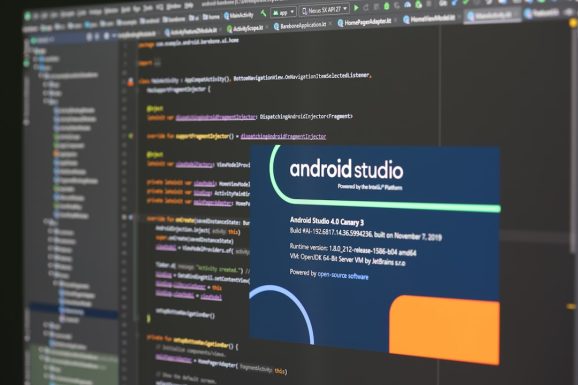
Android Studio remains one of the most comprehensive IDEs for Flutter development. Powered by IntelliJ IDEA, it offers robust debugging tools, an integrated emulator, and deep performance profiling features.
- Built-in Flutter and Dart plugins
- Advanced widget inspection tools
- Integrated performance monitoring
- Strong emulator support
It is particularly beneficial for developers who require detailed analytics and high-level debugging capabilities.
2. Visual Studio Code
VS Code is lightweight, fast, and highly customizable. With the official Flutter and Dart extensions, it becomes an extremely powerful development environment.
- Fast startup time
- Rich extension marketplace
- Excellent Git integration
- Built-in terminal support
Many developers prefer VS Code for its speed and simplicity, especially when working on smaller projects or lower-resource machines.
3. IntelliJ IDEA
For those already familiar with JetBrains products, IntelliJ IDEA provides a seamless Flutter experience. It offers similar features to Android Studio but is often preferred for non-Android-specific workflows.

Ultimately, the best IDE depends on project requirements and personal preference. However, ensuring that the IDE fully supports Flutter’s hot reload, debugging, and widget inspection features is essential.
Essential Flutter Plugins for Productivity
Plugins extend Flutter’s capabilities and eliminate the need to reinvent the wheel. Carefully chosen plugins significantly reduce development time while improving code consistency and scalability.
State Management Plugins
Managing application state efficiently is critical for performance and maintainability. Popular options include:
- Provider – Simple and beginner-friendly.
- Riverpod – More flexible and testable alternative to Provider.
- Bloc – Structured and scalable for enterprise-level applications.
Choosing the right state management approach early prevents major architectural refactoring later.
Networking and API Integration
- Dio – Advanced HTTP client with interceptors.
- http – Lightweight and easy for basic requests.
- Retrofit – Type-safe API client generation.
These plugins simplify API communication and enhance error handling mechanisms.
- GoRouter – Officially recommended solution by the Flutter team.
- AutoRoute – Code-generated routes for cleaner structure.
Structured routing improves code readability and makes scaling apps easier.
UI and Animation Enhancements
- Flutter ScreenUtil – Responsive design adaptation.
- Lottie – Smooth animation rendering.
- CachedNetworkImage – Efficient image caching.
These UI-focused plugins allow developers to create polished applications without unnecessary complexity.
Debugging and Performance Tools
Flutter provides powerful built-in debugging tools, but leveraging them correctly is key to workflow optimization.
Flutter DevTools
Flutter DevTools offer:
- Widget inspector
- Timeline view for performance tracking
- Memory usage analysis
- Network inspection
These features help identify rendering bottlenecks and inefficient rebuilds.
Hot Reload and Hot Restart
One of Flutter’s strongest workflow enhancements is hot reload. Developers can instantly see UI changes without losing application state. Hot restart, on the other hand, fully resets the application while still being significantly faster than traditional rebuild cycles.
Mastering these features alone dramatically reduces iteration time.
Testing Tools for Reliable Applications
Efficient workflows prioritize testing early and continuously.
Unit and Widget Testing
Flutter’s built-in testing framework supports:
- Unit tests for logic validation
- Widget tests for UI components
- Mocktail or Mockito for dependency mocking
Automated testing reduces regression issues and builds confidence in deployments.
Integration Testing
The integration_test package enables full app testing across devices, simulating real user interactions.
Image not found in postmetaBy integrating automated tests into daily development, teams minimize last-minute surprises.
Version Control and CI/CD Integration
No optimized workflow is complete without reliable version control and deployment pipelines.
Git and GitHub
Using Git for version control allows teams to:
- Track changes effectively
- Collaborate through pull requests
- Maintain structured branching strategies
Continuous Integration Tools
Popular CI/CD tools for Flutter include:
- GitHub Actions
- Codemagic
- Bitrise
Automating build testing and deployments ensures consistent releases and faster iteration cycles.
Design and Prototyping Tools
Flutter excels at rendering pixel-perfect UI designs, but collaboration with designers is equally important.
- Figma – Seamless handoff with design specifications.
- Adobe XD – Interactive prototyping.
- Supernova – Converts design systems into Flutter code.
Exporting design tokens and style guides makes UI implementation significantly faster and more consistent.
Code Quality and Formatting Tools
Maintaining consistent code style across teams improves readability and maintainability.
- Dart Analyzer – Catches issues early.
- Very Good Analysis – Opinionated linting recommendations.
- Pre-commit hooks – Automated formatting and static checks before commits.
These tools help ensure long-term project health, especially for growing codebases.
Optimizing Workflow for Teams
While individual developers benefit from productivity tools, teams must prioritize consistency and communication. Shared linting configurations, uniform state management approaches, and centralized CI/CD pipelines prevent fragmentation.
Documenting workflows and onboarding processes ensures that new developers quickly adapt to established standards. Regular performance audits and dependency updates further enhance application stability.
Ultimately, workflow optimization is not about adding countless tools—it is about selecting the right ones and integrating them thoughtfully.
Conclusion
Boosting a Flutter workflow requires a strategic combination of powerful IDEs, essential plugins, performance monitoring tools, and automation systems. Android Studio, VS Code, and IntelliJ provide strong foundations, while plugins for state management, navigation, and networking accelerate development. Debugging tools like Flutter DevTools and structured testing frameworks ensure stability. When paired with CI/CD systems and collaborative design tools, these resources create an efficient, scalable, and high-performing development environment.
By continuously refining tool choices and eliminating inefficiencies, developers can focus more on innovation and user experience rather than repetitive manual tasks.
Frequently Asked Questions (FAQ)
-
1. Which IDE is best for Flutter development?
Android Studio is excellent for advanced debugging and profiling, while VS Code is lightweight and fast. The choice depends on the developer’s needs and system performance. -
2. What is the most recommended state management solution?
Provider and Riverpod are ideal for small to medium projects, while Bloc works well for large-scale enterprise applications. -
3. How important is Flutter DevTools?
Flutter DevTools is crucial for performance analysis, widget inspection, and memory optimization, making it an essential part of any workflow. -
4. Can Flutter apps be fully tested automatically?
Yes, Flutter supports unit, widget, and integration testing, which can be automated within CI/CD pipelines. -
5. What is the easiest way to set up CI/CD for Flutter?
GitHub Actions and Codemagic are popular choices because they integrate seamlessly with Flutter projects and provide automated build and deployment workflows.






Recent Comments