






CapCut is the best all-round app for TikTok videos, especially if you want fast edits, trendy effects, captions, and music in one place. It is also huge, with 1B+ downloads listed on Google Play [source: Google Play]. Hypic is better for pretty visuals and AI photo-style edits. YouCam Video is best for beauty touch-ups and face-focused clips.
TLDR: Pick CapCut if you make regular TikToks and want the most tools. Pick Hypic if your video needs a polished, dreamy, influencer-style look. Pick YouCam Video if your video is about makeup, skin, selfies, or close-up talking clips. For example, if you post 10 TikToks a week, CapCut will likely save the most time because templates, captions, and cuts are all in one app.
Quick Winner
All Heading
Best overall: CapCut.
Best for AI style: Hypic.
Best for beauty videos: YouCam Video.
That is the short version. But each app has a sweet spot. And each one has a few little headaches too. Because of course it does.
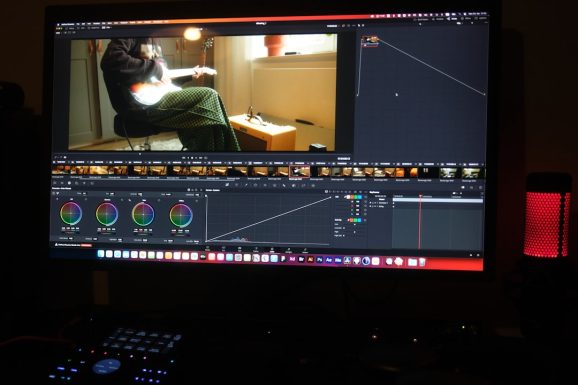
CapCut: The TikTok Power Tool
CapCut feels like it was built for TikTok creators who want to move fast. That makes sense. It is packed with the stuff people actually use.
- Auto captions for talking videos.
- Templates for quick edits.
- Music and sound effects for punchy clips.
- Text animations that look bold on a phone screen.
- Background removal for fun visual tricks.
CapCut is great for trends. You see a format. You grab a template. You swap in your clips. Done. It can turn a messy phone video into something that looks planned.
The annoying part? Some features can feel buried. You may tap around for 20 seconds just to find the one effect you used yesterday. Also, certain tools push you toward paid features. That can be a little irritating when you are trying to post before a trend dies.
Still, CapCut wins for most creators. It is the safest pick for dance edits, product videos, memes, tutorials, food clips, and daily vlogs.
Hypic: The Pretty AI Friend
Hypic is not the classic “cut and trim” editor first. It is more about style. Think filters, AI looks, and polished visuals.
Use Hypic when your footage needs a glow-up. It can help with colors, backgrounds, and soft visual effects. It works well for fashion clips, travel shots, lifestyle videos, and aesthetic edits.
- Best for: stylish clips and clean visuals.
- Good for: AI effects, portraits, mood edits, and product shots.
- Less ideal for: heavy timeline editing and fast trend templates.
Honestly, it feels like Hypic cares more about making things look cute than giving you every editing button possible. That is not bad. It just depends on your goal.
If your TikTok is a “get ready with me” clip, a soft travel montage, or a dreamy product reveal, Hypic can help a lot. If you need sharp cuts to match a trending sound, CapCut is still the better tool.

YouCam Video: The Beauty Specialist
YouCam Video is the glam app of the group. It shines when faces are the main event.
It is strong for creators who make beauty content, skincare clips, makeup tests, hair videos, and selfie-style TikToks. You can smooth skin, adjust makeup looks, brighten eyes, and clean up close-up footage.
- Best for: beauty and face edits.
- Good for: makeup creators, influencers, and talking-head videos.
- Less ideal for: big edits with lots of clips and transitions.
The catch is that beauty tools can get weird if you push them too far. Skin can look too smooth. Teeth can look too bright. Your face can start to look like a wax figure. Use small changes. Keep it real.
YouCam Video is not trying to beat CapCut at trend editing. It has a different job. It makes people look camera-ready.
CapCut vs Hypic vs YouCam Video
| App | Best Use | Main Strength | Main Weakness |
|---|---|---|---|
| CapCut | Most TikTok videos | Templates, captions, fast editing | Can feel crowded |
| Hypic | Aesthetic edits | AI style and visual polish | Not the strongest timeline editor |
| YouCam Video | Beauty videos | Face and makeup tools | Can look fake if overused |
Which App Should You Choose?
Choose CapCut if you want one app for almost everything. It is best for creators who post often. It is also great for beginners because templates do half the work.
Choose Hypic if your videos need style more than speed. It helps when your clip feels plain and needs a stronger mood.
Choose YouCam Video if your face is the focus. It is great for beauty creators, skincare reviews, makeup tests, and personal branding videos.

Best Simple Workflow
Here is the easy combo:
- Edit the main video in CapCut.
- Use Hypic for a stylish cover image or visual effect.
- Use YouCam Video if your face needs light touch-ups.
- Post to TikTok with a strong hook in the first 2 seconds.
This workflow keeps things simple. CapCut handles the main edit. Hypic adds style. YouCam Video adds polish. No need to make this harder than it has to be.
Final pick: Start with CapCut. Add Hypic or YouCam Video only when your video needs that extra sparkle. Your TikTok does not need to be perfect. It just needs to stop the scroll.






Recent Comments