



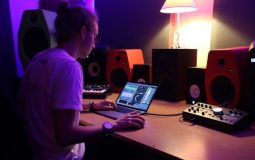



Making music used to require expensive studios and racks of hardware. Not anymore. Today, music production software lets you build full tracks from your bedroom. If you’ve heard of FL Studio, you already know how powerful these tools can be. But it’s not the only option. There are many programs that help beginners and pros create amazing music.
TLDR: Music production software, also called DAWs, helps you record, edit, and mix songs like a professional. FL Studio is popular, but there are other great tools like Ableton Live, Logic Pro, and Studio One. Each has unique features, pricing, and workflow styles. Pick the one that fits your skill level, music style, and budget.
Let’s break this down in a fun and simple way.
What Is Music Production Software?
All Heading
Music production software is often called a DAW. That stands for Digital Audio Workstation. Sounds fancy. It’s not scary.
A DAW lets you:
- Record vocals and instruments
- Create beats
- Edit audio
- Add effects
- Mix and master tracks
Think of it as your digital music studio.
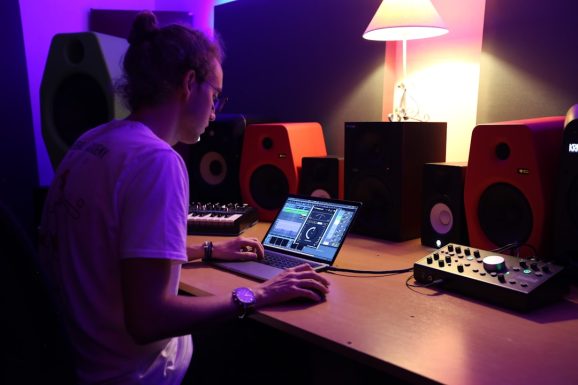
If you can click a mouse and drag files, you can start producing music.
Why Is FL Studio So Popular?
FL Studio became famous for a reason. It’s powerful but easy to start with.
Here’s why people love it:
- Step sequencer: Great for making beats fast.
- Piano roll: Very easy to program melodies.
- Lifetime updates: Buy once. Get free updates forever.
- User friendly layout: Bright. Visual. Clear.
It’s especially popular in hip hop, EDM, and pop.
But maybe you want something different. Let’s explore other tools that work just as well.
Top Music Production Software Like FL Studio
1. Ableton Live
Ableton Live is a favorite for electronic music producers and live performers.
What makes it special?
- Session View: Trigger loops live.
- Great for live shows: DJs love it.
- Fast workflow: Build ideas quickly.
- Strong sound design tools: Powerful built in effects.
It feels different from FL Studio. More performance focused. Great for creativity.
2. Logic Pro
Logic Pro is made by Apple. It only works on Mac.
Why producers love it:
- Huge library of sounds and loops
- Amazing built in instruments
- Clean and professional interface
- One time payment
If you use a Mac, Logic is a strong option. Many chart topping songs were made with it.
3. Studio One
Studio One is known for being modern and smooth.
- Drag and drop workflow
- Fast recording and editing
- Great mixing tools
- Good for beginners and pros
It feels clean. Less clutter. Very focused.
4. Cubase
Cubase has been around for decades. It’s powerful.
- Strong MIDI editing
- Advanced mixing tools
- Professional scoring features
- Used in film and game music
It may feel complex at first. But it’s extremely capable.
5. Reaper
Reaper is affordable and surprisingly powerful.
- Low price
- Lightweight software
- Highly customizable
- Strong community support
It may not look flashy. But it gets the job done.
Comparison Chart
| Software | Best For | Skill Level | Platform | Price Style |
|---|---|---|---|---|
| FL Studio | Beat making, EDM, hip hop | Beginner to Pro | Windows, Mac | One time payment with free updates |
| Ableton Live | Live performance, electronic | Intermediate to Pro | Windows, Mac | One time payment |
| Logic Pro | Full song production | Beginner to Pro | Mac only | One time payment |
| Studio One | Recording and mixing | Beginner to Pro | Windows, Mac | Subscription or one time |
| Reaper | Budget production | Intermediate | Windows, Mac | Low cost license |
| Cubase | Film scoring, advanced MIDI | Intermediate to Pro | Windows, Mac | One time payment |
Key Features To Look For
No matter which software you choose, check for these features:
1. Easy Workflow
You want to move fast. Ideas disappear quickly. A clean layout helps.
2. Strong MIDI Editor
MIDI lets you control virtual instruments. This is huge for modern music.
3. Built In Sounds
Good drums. Good synths. Good effects. This saves money early on.
4. Plugins Support
Most DAWs support VST or AU plugins. These expand your sound options.
5. Automation Tools
Automation lets you change volume, effects, and filters over time. It adds life.
How To Choose The Right One
Ask yourself a few simple questions.
- What music style do I want to make?
- What is my budget?
- Am I using Mac or Windows?
- Do I want to perform live?
- How steep of a learning curve can I handle?
If you love making beats fast, try FL Studio.
If you want to perform live with loops, try Ableton.
If you use a Mac and want everything included, try Logic.
If you are on a budget, try Reaper.
There is no perfect DAW. Only the right one for you.
Tips For Creating Tracks Like A Pro
Software is just the beginning. Skill matters more.
1. Learn Shortcuts
Keyboard shortcuts save hours of time. Pros move fast.
2. Use Reference Tracks
Compare your mix to professional songs in the same genre.
3. Keep Your Mix Clean
Too many sounds cause chaos. Leave space.
4. Master EQ and Compression
These tools shape your sound. Learn them well.
5. Practice Daily
Even 30 minutes helps. Consistency wins.
Do You Need Expensive Gear?
Not really.
To start, you only need:
- A computer
- A DAW
- Headphones
Later, you can add:
- Audio interface
- Studio monitors
- MIDI keyboard
- Microphone
But don’t wait for the “perfect setup.” Start now.
Free Versions And Trials
Most DAWs offer free trials.
FL Studio has a trial. Ableton has a trial. Reaper has a long evaluation period.
This is great news.
Test them. Click around. Make a small beat. See what feels natural.
The best software is the one that makes you excited to create.
The Truth About “Pro” Sound
Here’s a secret.
Professional sound does not come from the software.
It comes from:
- Good arrangement
- Clean recording
- Balanced mixing
- Strong musical ideas
Most DAWs can produce radio ready music. The difference is how you use them.
Final Thoughts
Music production software like FL Studio has changed the game. Anyone can create tracks at home. You don’t need a big studio. You don’t need a huge budget.
You just need the right tool and the passion to learn.
FL Studio is amazing. But so are Ableton, Logic, Studio One, Cubase, and Reaper. Each has strengths. Each has fans. Each can help you create music like a pro.
Start simple. Pick one. Dive in.
Your next hit song might already be inside your laptop.





Recent Comments