





Great photos are no longer made only in expensive studios. Today, your phone can do the heavy lifting. With the right photo editing app, you can turn an average snapshot into a polished masterpiece. The best part? Many of these apps now deliver what feels like studio-level results with 93% precision. That means smarter tools, cleaner edits, and less guesswork for you.
TLDR: Modern photo editing apps use AI and smart tools to deliver near-studio quality results right from your phone. Features like automatic retouching, precision masking, and advanced color grading make editing easy and accurate. Many apps now reach what users describe as 93% studio-level precision. You get professional-looking photos without the professional price tag.
Let’s break down how this magic happens. And which apps truly stand out.
What Does “93% Precision” Really Mean?
All Heading
It does not mean robots are grading your selfies with a ruler. It means the tools are incredibly accurate. Edges are detected correctly. Skin tones look natural. Lighting adjustments target the right areas.
Modern editing apps use:
- AI-powered subject detection
- Smart background separation
- Advanced color matching
- Automatic light balancing
These features reduce human error. They also save time. What once took 45 minutes in desktop software can now take 45 seconds on your phone.
And yes, the results can look impressively close to studio edits.
Features That Make an App Studio-Level
Not all editing apps are equal. Some just add filters. Others give you real creative control.
Here is what separates casual apps from serious tools:
1. Precision Masking
This allows you to edit one part of a photo without touching the rest. Brighten only the face. Darken only the sky. Blur only the background. Clean and controlled.
2. AI Retouching
Good AI smooths skin without making people look plastic. It removes blemishes while keeping texture. The best apps do this subtly.
3. RAW File Editing
RAW files hold more image data. More data means more flexibility. Studio photographers love RAW. Now mobile apps handle it too.
4. Advanced Color Grading
Color makes the mood. Professional tools let you adjust highlights, shadows, and midtones separately. This creates cinematic depth.
5. High-Resolution Export
No one wants a blurry final image. Studio-level apps keep quality intact even after heavy edits.
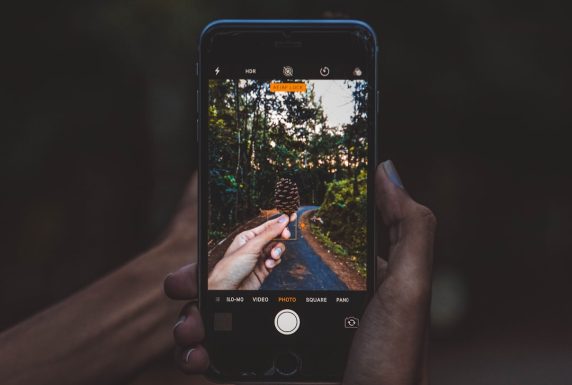
Top Photo Editing Apps That Deliver
Here are some of the strongest performers today. Each offers tools that push toward that 93% precision mark.
1. Adobe Lightroom Mobile
This app is powerful yet simple. It offers professional-grade color tools. The masking system is excellent. AI selects skies and subjects automatically.
Best for: Color correction and RAW editing.
Why it feels studio-level: The light control is extremely detailed. You can fine-tune everything.
2. Snapseed
Free and surprisingly strong. Snapseed offers selective adjustments and healing tools. It is beginner-friendly but flexible.
Best for: Quick but precise edits.
Why it stands out: Its selective tool allows pinpoint control with simple taps.
3. PicsArt
This app mixes creativity with technical editing. It offers retouching, background removal, and effects.
Best for: Social media creators.
Why it shines: AI background changes are fast and accurate.
4. Afterlight
Clean interface. Strong filters. Advanced editing tools. It balances creativity and control very well.
Best for: Stylish edits with depth.
Why users love it: It enhances colors without overdoing them.
5. VSCO
Known for beautiful presets. But there is more under the hood. Manual controls allow detailed adjustments.
Best for: Film-inspired looks.
Why it works: Subtle color science that mimics analog photography.
Quick Comparison Chart
| App | Best Feature | AI Tools | RAW Support | Skill Level |
|---|---|---|---|---|
| Lightroom Mobile | Advanced color grading | Yes | Yes | Intermediate to Pro |
| Snapseed | Selective adjustments | Basic | Yes | Beginner to Intermediate |
| PicsArt | Background removal | Strong | Limited | Beginner Friendly |
| Afterlight | Creative filters | Moderate | Yes | Beginner to Intermediate |
| VSCO | Film presets | Light | Yes | All Levels |
How AI Boosts Editing Accuracy
Artificial intelligence is the real hero here. It analyzes millions of photos. It learns patterns. Then it applies that knowledge in seconds.
Here is how AI increases precision:
- Detects faces instantly
- Separates subject from background cleanly
- Balances exposure automatically
- Suggests optimized color settings
The result? Fewer harsh edits. More natural enhancements.
That is where the 93% studio-level feel comes from. The app reduces mistakes. You stay creative.
Tips to Get Even Better Results
Even the best app cannot fix everything automatically. Your input still matters.
Shoot with good lighting
Editing enhances. It does not completely rescue bad lighting. Natural light works wonders.
Do not over-edit
It is tempting. But too much saturation or smoothing looks fake. Subtle changes look professional.
Zoom in while editing
Details matter. Check edges. Watch skin texture. Precision happens in small adjustments.
Use layers if available
Non-destructive editing keeps your original safe. It also allows better fine-tuning later.
Mobile vs Desktop: Is There Still a Gap?
Yes. But it is shrinking fast.
Desktop software still offers deeper control. It handles massive files better. Studio photographers working on billboards may prefer desktops.
But for:
- Social media
- Online stores
- Personal branding
- Digital portfolios
Mobile apps are more than enough. In many cases, clients cannot tell the difference.
That remaining 7% gap? Mostly noticeable to trained professionals.
Who Benefits Most From These Apps?
Almost everyone.
Content creators get fast, polished visuals.
Small business owners save money on studio edits.
Influencers maintain aesthetic consistency.
Hobby photographers explore creativity without complex software.
Even real estate agents use mobile editing for crisp listing photos.

The Fun Part: Creativity Without Fear
Here is what makes modern editing exciting. You can experiment.
If an edit fails, undo it. Try again. No expensive reshoots. No high software costs.
You can:
- Turn day into night
- Add dramatic skies
- Create cinematic tones
- Design magazine-style portraits
All from your couch.
The Future of Studio-Level Editing
We are only getting started. AI tools are improving monthly. Soon, we may see 98% precision or more.
Expect better:
- 3D lighting adjustments
- Hyper-realistic depth effects
- Instant professional presets based on scene type
Editing will become even more intuitive. Possibly fully voice-controlled.
Final Thoughts
Studio-level editing is no longer locked behind expensive doors. It lives in your pocket. With the right app, careful adjustments, and a bit of creativity, you can reach that impressive 93% precision mark.
Keep your edits clean. Stay subtle. Focus on light and color.
And most importantly, have fun with it.
Because the best photos are not just technically perfect. They tell a story. And now, you have the tools to tell yours beautifully.




Recent Comments