






An Onkyo receiver is often the heart of a home theater or stereo system, delivering powerful, balanced sound across multiple speakers and inputs. When the audio suddenly stops working, it can be frustrating and confusing—especially if everything appears to be powered on correctly. Fortunately, most sound issues are not caused by major hardware failures. In fact, the majority can be resolved with a few systematic troubleshooting steps.
TLDR: If your Onkyo receiver has no sound, start with the basics: check mute settings, input selection, and cable connections. Then move on to speaker wiring, audio output settings from connected devices, and factory reset options. Many issues stem from incorrect configuration rather than hardware failure. Following the eight steps outlined below will fix the vast majority of audio problems without requiring repairs.
1. Confirm the Obvious: Power, Volume, and Mute Settings
All Heading
It may seem overly simple, but you should always begin with the fundamentals. Many “no sound” cases are resolved in minutes because the receiver was muted, the volume was turned down, or the wrong zone was active.
- Ensure the receiver is fully powered on (not in standby).
- Check that the volume level is turned up to an audible range.
- Look for the mute indicator on the display panel.
- If your unit supports Zone 2 or Zone B, confirm audio is assigned to the main zone.
Sometimes a remote control malfunction can trigger mute without you realizing it. Try adjusting volume directly on the front panel to rule this out.
2. Verify the Correct Input Source Is Selected
Modern Onkyo receivers often have multiple HDMI, optical, coaxial, and analog inputs. If the wrong input is selected, the receiver will not output sound—even though it appears fully operational.
For example, if your streaming device is connected to HDMI 2 but the receiver is set to CBL/SAT, you will not hear audio.
- Use the remote or front panel controls to cycle through inputs.
- Confirm that the connected device matches the assigned input label.
- Check the receiver’s display to see if it detects an incoming audio signal.
If your receiver indicates “No Signal,” the issue may lie with the external device or cable.
3. Inspect All Cable Connections Carefully
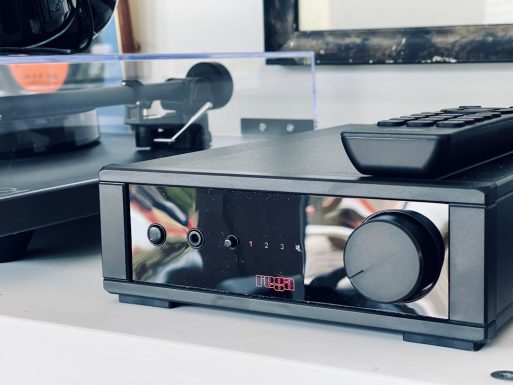
Loose or damaged cables are one of the most common causes of audio loss. HDMI cables, in particular, can shift slightly or develop internal faults.
- Unplug and firmly reseat all HDMI cables.
- Replace HDMI cables if they are older or visibly worn.
- Check optical cables for proper seating (they should click into place).
- Ensure analog RCA cables are connected to matching color ports.
If possible, test with a different cable to eliminate doubt. Many users discover the receiver is functioning properly—the cable is the true culprit.
4. Check Speaker Wiring and Impedance Settings
If the receiver turns on and displays normal input activity but no sound reaches the speakers, inspect the speaker wiring.
- Make sure no speaker wire strands are touching adjacent terminals.
- Confirm positive (+) and negative (–) wires are correctly aligned.
- Verify that speakers are connected to the correct binding posts.
Short circuits triggered by stray copper strands can activate the receiver’s protection mode, cutting off audio output.
Additionally, check the impedance setting within the receiver’s configuration menu. If the speakers’ impedance does not match the receiver’s configuration, it can prevent proper sound output or cause shutdowns.
5. Review Audio Output Settings on Connected Devices
Sometimes the Onkyo receiver is working perfectly—but the external device is not sending audio properly. This is especially common with TVs and streaming devices.
On your TV or media device, check:
- Audio Output is set to HDMI ARC, optical, or external speakers.
- Digital audio format is compatible (try switching between Bitstream and PCM).
- CEC or ARC settings are enabled if using HDMI ARC.
Incorrect audio formats can prevent the receiver from decoding sound. If unsure, set the device to PCM temporarily to test.
6. Disable Audio Processing Modes Temporarily
Onkyo receivers include various listening modes such as Dolby Atmos, DTS:X, Pure Audio, Direct Mode, and DSP effects. Occasionally, certain modes may suppress output if the incoming signal format does not match expectations.
Switch to a basic listening mode like:
- Stereo
- Direct
- All Channel Stereo
This eliminates advanced processing variables and helps determine whether the issue stems from decoding settings.
7. Perform a Soft Reset or Factory Reset
If configuration errors are suspected, resetting the receiver can resolve hidden software or firmware glitches.
Soft Reset:
- Turn off the receiver.
- Unplug it from power for at least 10 minutes.
- Reconnect and power on.
If this fails, proceed with a factory reset (refer to your specific model’s manual). Typically, this involves holding specific front panel buttons while powering on.
Important: A factory reset will erase saved settings, speaker calibration data, and network configurations.
Image not found in postmetaAfter resetting, reconfigure the setup step by step rather than changing multiple settings at once.
8. Update Firmware or Check for Hardware Failure
Outdated firmware can sometimes cause HDMI handshake issues or loss of audio functionality. If your receiver is network-enabled:
- Navigate to the firmware update section in settings.
- Install the latest available update.
If the issue persists after all troubleshooting steps, consider these possibilities:
- Faulty HDMI board (a known issue in older models)
- Blown internal fuse
- Failed amplifier channel
- Damaged power supply components
In such cases, professional repair may be necessary. Contact Onkyo support or an authorized service center for diagnosis.
Additional Diagnostic Tips
For a more methodical approach, isolate components:
- Test the receiver with a different input source.
- Try a different set of speakers or headphones.
- Connect headphones directly to the receiver to test internal amplification.
If sound works through headphones but not speakers, the issue likely involves speaker wiring or speaker configuration.
When to Seek Professional Help
If your Onkyo receiver repeatedly enters protection mode, emits burning smells, powers off unexpectedly, or shows error codes, discontinue troubleshooting immediately. These are signs of possible electrical failure.
Professional technicians have the tools to measure output voltages, inspect internal capacitors, and replace defective amplifier components safely.
Final Thoughts
An Onkyo receiver losing sound can feel like a significant system failure—but in most cases, it is not. The vast majority of audio problems stem from simple misconfigurations, loose cables, incorrect input selections, or device output settings. By following a deliberate and structured troubleshooting process, you can resolve approximately 85% of sound issues without professional repair.
Start with the simplest possibilities and progress carefully toward more advanced diagnostics. Take your time, test methodically, and avoid making multiple setting changes at once. With patience and a systematic approach, your Onkyo receiver will likely return to delivering the high-quality audio performance it was designed for.




Recent Comments