







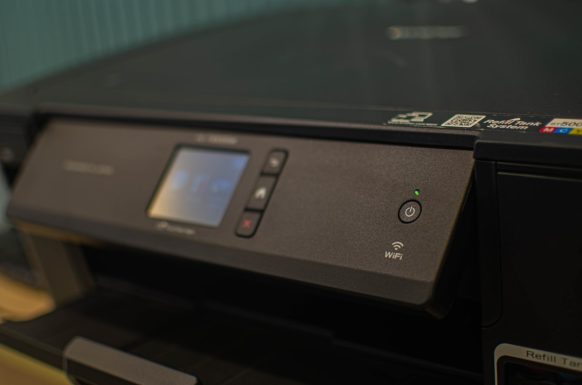
Preserving precious memories from old photo albums has become a priority for many people in the digital age. As traditional photographs degrade over time, digitizing them ensures longevity and easy accessibility. Thanks to advances in scanning technology, high-speed picture scanners have revolutionized this process, allowing users to digitize hundreds of old photos quickly and efficiently.
TLDR
All Heading
High-speed picture scanners offer a fast, reliable solution for digitizing old photos with remarkable clarity. These scanners can process multiple prints at once and deliver high-resolution digital copies. They often come with auto-enhancement features and are compatible with photo management software. Whether for personal archiving or professional use, they dramatically reduce the time required to preserve large photo collections.
Why Digitize Old Photos?
Photographs, especially those printed decades ago, naturally deteriorate due to exposure to sunlight, humidity, and air. Colors fade, paper yellows, and images become blurred. Digitizing photographs serves three primary purposes:
- Preservation: Digital files aren’t susceptible to the natural decay that affects physical photos.
- Accessibility: Digital images can be stored in cloud drives, shared via email, and posted on social media.
- Organization: Once photos are scanned, they can be sorted, labeled, and categorized in photo management software, making retrieval much easier.
What Is a High-Speed Picture Scanner?
A high-speed picture scanner is a type of scanner specifically designed to handle large volumes of photographic prints rapidly without compromising image quality. These devices can process dozens or even hundreds of photos in a single session and often come with features that improve image clarity, correct orientation, and remove dust or scratches.
Unlike flatbed scanners, which require individual placement of each photo, high-speed scanners use automatic feeding systems. This allows users to stack multiple prints in a feeder tray and let the machine do the rest—freeing valuable time and ensuring consistency.
Key Features to Look For
When selecting a high-speed picture scanner, there are several important features to consider:
- Scan Speed: Measured in photos per minute or pages per minute (PPM), a faster scan speed translates to less time spent per batch.
- Resolution: For photo scanning, look for a resolution of at least 300 DPI (dots per inch). For high-quality archiving or prints, 600 DPI or above is better.
- Feeder Capacity: The automatic document feeder (ADF) should hold at least 20-30 photos to ensure efficient bulk scanning.
- Photo Size Compatibility: Ensure the scanner can handle multiple sizes, including 3×5, 4×6, 5×7, and panoramic prints.
- Image Enhancement Tools: Some scanners offer software enhancements such as color correction, red-eye removal, and restoration of faded photos.
Top Brands and Models
Some of the market leaders in high-speed picture scanning include:
- Epson FastFoto FF-680W: This model is one of the fastest bulk photo scanners available, capable of scanning a photo every second at 300 DPI and featuring auto enhancement features.
- Canon imageFORMULA RS40: A compact and affordable option offering great quality, designed for both photos and documents.
- Plustek ePhoto Z300: Known for its ergonomic design and fast scanning of 4×6-inch prints in under 2 seconds.
Each of these models provides various combinations of speed, resolution, and software features that cater to different needs—from casual users to professional archivists.
Steps for Digitizing Photos with a High-Speed Scanner
Here’s a streamlined process to efficiently digitize and organize your photo collection using a high-speed picture scanner:
- Clean photos: Gently wipe each photo with a soft cloth to remove dust and debris.
- Sort photos by size: Organizing them by size helps to avoid jammed feeders and allows better grouping during scanning.
- Load the ADF: Place the stack of photos in the automatic document feeder according to the manufacturer’s instructions.
- Adjust settings: Choose the appropriate resolution and color correction settings on the scanner or accompanying software.
- Scan: Start the scan and monitor the first few photos to ensure no issues.
- Organize digital files: Save images into labeled folders by year, event, or family member.
- Backup: Store backups on an external hard drive or cloud storage to ensure long-term safety.
Advantages Over Flatbed Scanners
High-speed photo scanners offer several benefits over traditional flatbed scanners:
- Speed: Automated feeding allows for quick scanning of many prints.
- Convenience: There’s no need to manually lift the lid and position each photo on the glass bed.
- Automation: Batch scanning, automatic cropping, and quick sharing options streamline the whole process.
Limitations to Consider
While high-speed scanners are powerful tools, they also have some limitations:
- Cost: They are generally more expensive than flatbed scanners.
- Photo condition: Very old or delicate photos might get damaged in auto-feed systems and may require flatbed scanning instead.
- Learning curve: Software features might require initial setup and occasional troubleshooting.
Best Practices for Archiving and Sharing
Once photos are digitized, maintaining an organized and accessible archive is crucial. Here are some recommended practices:
- Rename files with meaningful titles (e.g., Grandma_Anniversary_1974.jpg).
- Store photos in categorized folders such as Vacations, Holidays, or Weddings.
- Use metadata tagging to add descriptions, dates, and locations.
- Back up your library to the cloud and at least one physical device.
- Use photo-sharing services or create digital albums to distribute images with family and friends.
Conclusion
For those with boxes of cherished analog moments, a high-speed picture scanner offers an efficient solution for preserving memories before time fades them. These modern tools not only save hours of manual labor but also offer superior image enhancements and organization options. By combining speed, quality, and smart software, high-speed scanners make it easier than ever to bring your family’s visual history into the digital age.
Frequently Asked Questions (FAQ)
- Q: Can high-speed scanners damage photographs?
- A: Most high-speed scanners are safe for standard photos, but fragile or curled prints may be damaged in automatic feeders. In such cases, manual flatbed scanning is recommended.
- Q: What resolution should I use for scanning old photos?
- A: A minimum of 300 DPI is acceptable for most use cases, but 600 DPI is recommended for archival quality or reprinting purposes.
- Q: Do I need special software to edit scanned images?
- A: Many high-speed scanners come with bundled software for editing and organizing. However, programs like Adobe Photoshop, Lightroom, or free alternatives like GIMP can enhance image quality further.
- Q: How should I store digital photo files safely?
- A: Use both cloud storage and external drives. Keeping at least two backups, ideally with one offsite, is the safest strategy.
- Q: Can high-speed photo scanners scan negatives and slides?
- A: Most high-speed photo scanners are designed for printed photos. For negatives and slides, dedicated film scanners are more appropriate.






Recent Comments