







Cyberattacks move fast. Hackers automate everything. Malware spreads in seconds. Phishing emails land in millions of inboxes at once. The good news? You do not need 200 security tools to stay safe. In reality, a smart mix of about a dozen powerful tools can detect and stop up to 90% of threats in real time. Let’s break them down in a simple and fun way.
TL;DR: Most cyber threats can be detected in real time using a focused set of 12 cybersecurity tools. These tools watch your network, devices, cloud, and user behavior 24/7. They use automation and AI to stop threats before damage spreads. Layer them together, and you build a strong, smart security shield.
1. Next-Generation Firewall (NGFW)
All Heading
Think of this as your digital security guard.
A traditional firewall blocks or allows traffic based on rules. A next-generation firewall goes further. It inspects traffic deeply. It understands applications. It detects suspicious behavior hiding inside normal traffic.
Many NGFWs include intrusion prevention, malware filtering, and web filtering in one system.
Popular examples: Palo Alto, Fortinet, Cisco Firepower.
2. Endpoint Detection and Response (EDR)
Every laptop and desktop is a door into your company.
EDR tools constantly monitor devices for strange activity. For example, if ransomware starts encrypting files, EDR sees it instantly. It can isolate the device in seconds.
It does not just block known malware. It detects suspicious behavior.
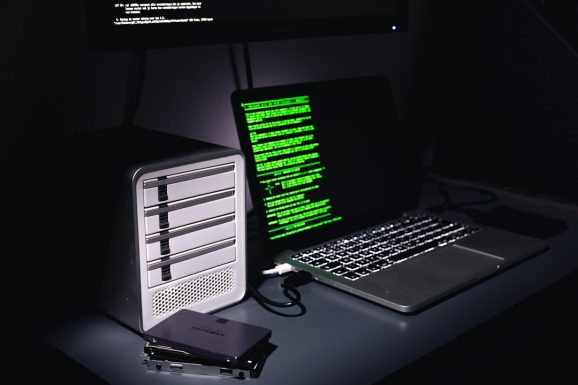
This visibility is powerful. Security teams can see exactly what happened and respond fast.
Popular examples: CrowdStrike, SentinelOne, Microsoft Defender for Endpoint.
3. Security Information and Event Management (SIEM)
A SIEM is like a command center.
It collects logs from everywhere. Servers. Firewalls. Applications. Cloud systems. Then it analyzes them in real time.
It connects the dots.
One failed login is not scary. A thousand failed logins from different countries? That is a red flag.
SIEM tools use correlation rules and AI to surface real threats. Not noise.
Popular examples: Splunk, IBM QRadar, Microsoft Sentinel.
4. Intrusion Detection and Prevention Systems (IDPS)
An IDPS watches your network traffic.
It looks for attack patterns. Known exploits. Suspicious activity.
- Detection mode alerts you
- Prevention mode blocks the attack automatically
This stops many threats before they reach your internal systems.
5. Secure Email Gateway (SEG)
Email is still the #1 attack vector.
Phishing. Malware. Fake invoices. Business email compromise.
A secure email gateway filters incoming and outgoing emails. It blocks malicious attachments. It flags suspicious links. It scans for impersonation attempts.
Modern systems even analyze writing tone to catch fraud.
Popular examples: Proofpoint, Mimecast, Microsoft Defender for Office 365.
6. Multi-Factor Authentication (MFA)
Passwords alone are weak.
MFA requires something extra. A phone prompt. A fingerprint. A hardware token.
If a hacker steals a password, they still cannot log in.
This simple tool stops a huge percentage of account takeover attacks.
It is easy. Cheap. Extremely effective.
7. Zero Trust Network Access (ZTNA)
Old security models trusted users inside the network.
That no longer works.
Zero Trust follows one rule: Never trust. Always verify.
Every request is checked. Every time. Even internal ones.
This limits lateral movement. So if attackers get in, they cannot roam freely.
8. Cloud Security Posture Management (CSPM)
Cloud misconfigurations cause major breaches.
Open storage buckets. Weak permissions. Misconfigured databases.
A CSPM tool scans cloud environments continuously. It flags risky settings. It suggests fixes.
This prevents simple mistakes from becoming huge incidents.
As companies move to the cloud, this tool becomes essential.
9. Data Loss Prevention (DLP)
Not all threats come from outside.
Sometimes sensitive data leaks accidentally. Or intentionally.
DLP tools monitor data in motion, at rest, and in use.
- They block unauthorized file transfers
- They detect credit card numbers or personal data
- They prevent uploads to unsafe locations
This protects your most valuable asset. Your data.
10. Security Orchestration, Automation, and Response (SOAR)
Security alerts can overwhelm teams.
Thousands per day. Maybe more.
SOAR tools automate repetitive tasks. They follow playbooks.
Example:
- An alert triggers
- The system gathers evidence
- It checks threat intelligence
- It isolates the device automatically
All in seconds.
This reduces response time dramatically.
11. Vulnerability Scanners
You cannot fix what you do not see.
Vulnerability scanners continuously scan systems for weaknesses.
Missing patches. Outdated software. Open ports.
They give you a prioritized list of risks.
Fixing these closes easy entry points before attackers exploit them.
Popular examples: Nessus, Qualys, Rapid7.
12. Extended Detection and Response (XDR)
XDR is the evolution of EDR.
It connects data across endpoints, networks, cloud, and email.
This gives a unified view of threats.
Instead of isolated alerts, you see the full attack chain.

XDR reduces blind spots. It helps security teams react faster and smarter.
Why These 12 Tools Cover 90% of Threats
Most cyberattacks follow patterns.
- Phishing email
- Stolen credentials
- Malware execution
- Lateral movement
- Data exfiltration
The tools above map directly to these steps.
Email gateways stop phishing.
MFA blocks stolen passwords.
EDR and XDR detect malware.
Zero Trust limits movement.
DLP prevents data theft.
Layered together, they create defense in depth.
If one layer misses something, another catches it.
Real-Time Detection: The Secret Ingredient
Speed matters.
Modern tools use:
- Behavior analytics
- Machine learning
- Threat intelligence feeds
- Automation
This allows detection in seconds. Not days.
Many breaches become disasters because they go unnoticed for months.
Real-time visibility changes the game.
Keep It Simple
You do not need every security product ever made.
You need:
- Visibility
- Prevention
- Detection
- Response
- Recovery plans
The 12 tools above cover these core functions.
Small companies might combine several features into one platform. Larger enterprises may deploy separate advanced systems.
Both approaches work. If layered properly.
One More Important Piece: People
Tools are powerful. But people matter.
Employees should learn:
- How to spot phishing emails
- Why MFA is important
- How to report suspicious activity
Security awareness training boosts your defenses dramatically.
Final Thoughts
Cybersecurity does not need to feel overwhelming.
You do not need magic.
You need smart layers.
You need automation.
You need visibility.
These 12 cybersecurity tools, when combined, detect and block the vast majority of threats in real time. They act like guards, cameras, alarms, and investigators all working together.
Build the right stack. Keep it updated. Train your people.
And stay one step ahead of the attackers.






Recent Comments